
Support
Real people, and a reply within 24 hours. Whether the board will not power on or you just want advice on which size to buy next, write to us.
Email us
Best for faults, warranty claims and anything that needs a photo or a screenshot.
support@mwoxxo.comAmazon orders
Order status, delivery and returns are fastest through your Amazon account's order page.
Open our Amazon storeWarranty claims
Two years from delivery. Send your Amazon order ID and a short description and we will take it from there.
Read the warranty termsTell us what happened
Fill this in and send it straight to our support inbox. We reply to the address you give us, usually within 24 hours.
Before you contact us
Four details let us solve most problems on the first reply instead of the third.
- Your model number — P52, P64, P78 or P104
- Your phone system — iOS or Android
- Your Amazon order ID, for anything warranty related
- A photo or screenshot, if the fault is visible
Common issues
Try these first — they resolve the large majority of cases.
Board will not turn on
Check the Type-C cable at both ends, confirm the adapter is rated 5V/2A, and try another socket. If the board stays dark with a known-good cable and adapter, contact us for a warranty replacement.
The app cannot find the board
Bluetooth must be on and the app must have nearby-device permission. Keep the phone within a metre of the board and away from other active Bluetooth devices during pairing.
Pattern will not send to the board
Reconnect the board, force-close and reopen the app, then power-cycle the board. Check for an app update before reporting it.
Some light positions stay dark
First confirm the pattern actually fills that area, then check the board on a plain solid pattern. If individual positions remain permanently dark, send us a photo taken in a dim room.
Beads arrived damaged or short
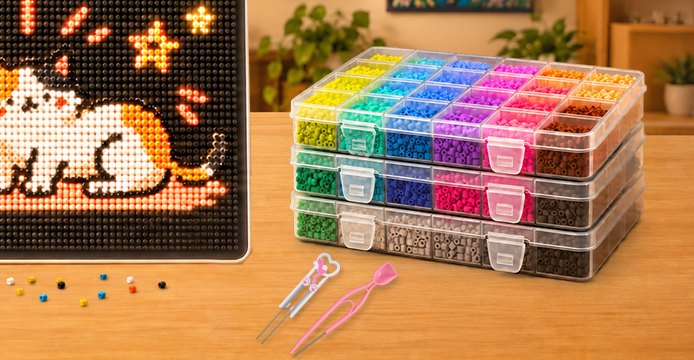
Bead trays are packed by weight, so a small variance is possible. If a specific colour is clearly short or a tray arrived cracked, email us your order ID and we will send replacements.
Firmware update failed
Keep the board powered and stay in range for the entire update. Do not disconnect or leave the app. If it fails repeatedly, retry with the phone closer to the board.
Warranty and returns
Straightforward terms, honoured without an argument.
What the warranty covers
- LED positions that fail, flicker, or leak light
- Bluetooth that will not pair or drops mid-pattern
- Charging or power faults with the board itself
- Physical defects present on arrival
Not covered: accidental damage, water damage, or faults caused by an adapter that does not meet the 5V/2A specification.
Replacement parts and refills
- 2.6 mm mini fuse beads — any brand, any supplier
- Replacement bead pens, tweezers and ironing paper
- Spare Type-C cables
The board uses the open 2.6 mm bead standard, so you are never locked into buying refills from us. Email us if you cannot find a specific accessory.
Still need a hand?
Send us the details and we will reply within 24 hours — usually much sooner.