
From photo to finished piece
The whole process runs on two ideas: the app decides where each colour goes, and the board shows you the answer one colour at a time.
The core loop
Every project, whatever its size, is the same short cycle repeated until the pattern is filled. This is what replaces the paper chart.
-
Select a colour in the app
Pick one shade from your palette. PIXDOU highlights only that shade across the whole pattern.
-
Watch the board isolate it
The LED matrix lights the positions that take that colour. Everything else stays dark, so there is nothing to misread.
-
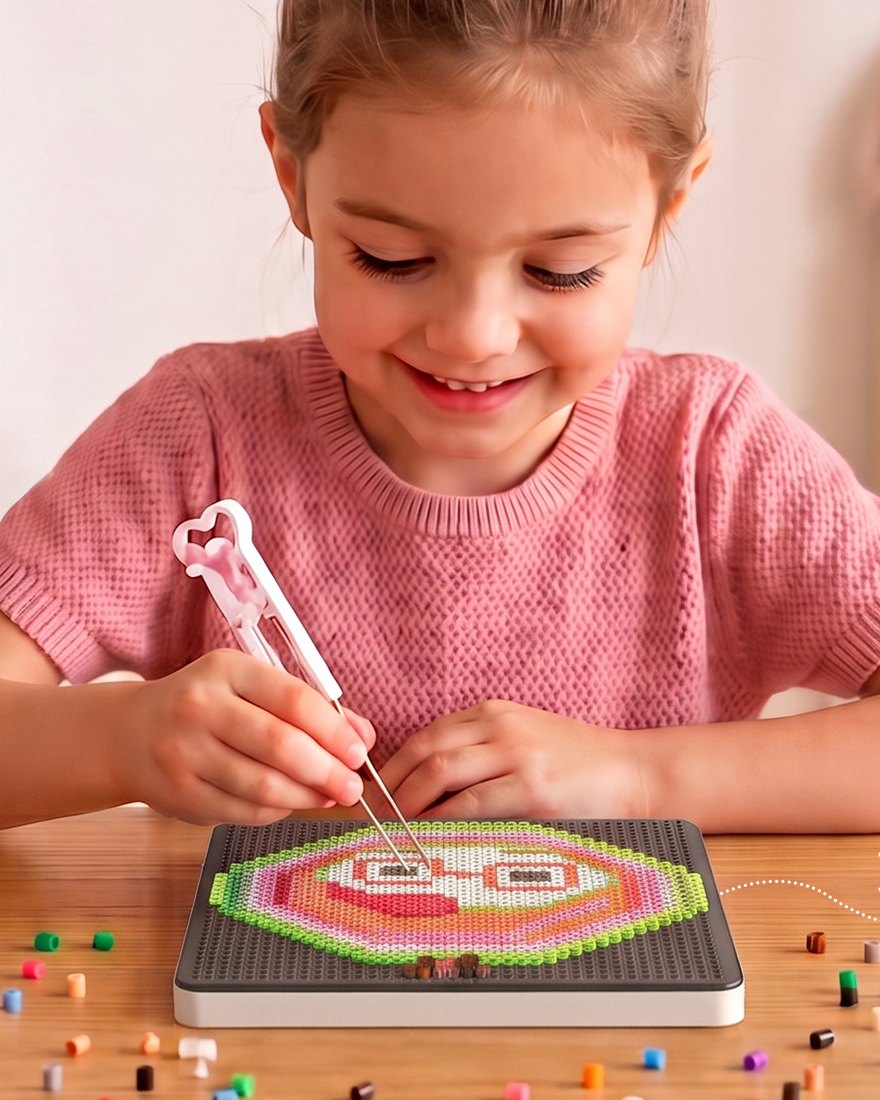
Place the beads
Drop a bead on each lit peg with the bead pen or tweezers. The pegboard holds each one in place while you work.
-
Move to the next colour
Repeat for each shade. The board is fully pegged when every colour has been filled in.
Four ways to get a pattern
Start from the library, from a photograph, from a picture you found, or from a blank canvas.
Material library
Thousands of free patterns across animals, characters, flowers, games and seasonal designs — updated regularly. Download what you like and it stays on your device.
Photo album import
Choose any JPEG or PNG from your phone. The app maps the colours and optimises the pixels to produce a board-ready pattern in one tap — pet photos work especially well.
Live camera
Point the camera at a person, a pet, a plant or a view and convert the shot there and then. The app identifies the colours and builds the pattern immediately.
Custom canvas
Draw your own pixel art from scratch with single-point colouring, region erase, colour sampling and one-click fill. Canvas size is up to you.
Colour matching that respects your bead tray
Patterns are designed in a much larger colour space than any home bead set. PIXDOU closes that gap automatically.
-
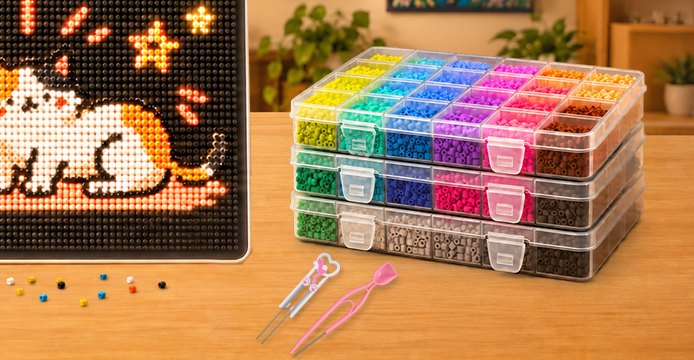
Set up the Bean Warehouse
Tell the app which colours you own — the included 72-colour set is one tap away. This is what it matches against.
-
Let it substitute
The app replaces every colour in the pattern with the nearest shade in your tray, so nothing is ever unmatchable.
-
Adjust by hand if you want
Not happy with a substitution? Open the colour scheme, edit individual shades, and save your own version.
Fusing the piece
Fuse beads are joined with heat, so the last step happens away from the board. It takes under a minute of actual ironing.
-
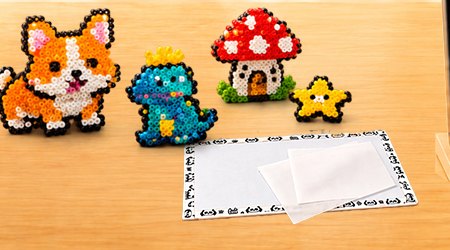
Cover the artwork
Lay the included ironing paper over the finished piece, or use a baking mat if you prefer.
-
Iron with steady, circular motion
With baking paper, 3–5 seconds is usually enough. With a baking mat, allow 30–50 seconds. Set the iron to a low-to-medium setting with no steam.
-
Watch the holes close
Stop when the bead openings begin to seal. Over-ironing flattens the pixel texture that makes the artwork distinctive.
-
Cool for 3–5 minutes
Let the piece cool naturally, then lift it. It is now a permanent object — a keychain, a magnet, a coaster or a framed picture.
Small habits that make a difference
Work large patterns by colour, not by area
Finish one colour across the entire board before switching. It keeps the app, the tray and your attention aligned, and it avoids swapping bead boxes constantly.
Keep the board on its stand
An angled board is easier on your neck and keeps beads seated under gravity. Leave the board in place between sessions — the pattern is stored in the app, not on the pegs.
Enable eye protection mode for long evenings
Brightness is adjustable in the app. Turning it down extends comfortable working time when a 10,000-peg project takes several nights.
Start with the step-by-step guide
Download the app, pair the board, and the first pattern is minutes away. Full setup instructions for every model are one page over.